
Business Consulting
Understand what is driving your business before you change anything.


After returning from HubSpot's biggest annual conference in Boston, Bart Kowalczyk hosted a 30-minute session to share the updates they found most valuable. HubSpot released 134 updates this year, and one comment came up again and again at the event: People feel overwhelmed.
Businesses are trying to cut down the number of tools they use and focus on what actually adds value.
Rather than covering everything, the session focused on the major updates AutomateNow has been testing within its own agency. Many of these features are still in beta, so users may need to opt in to access them.
You can listen to the webinar below, or read on for the highlights:

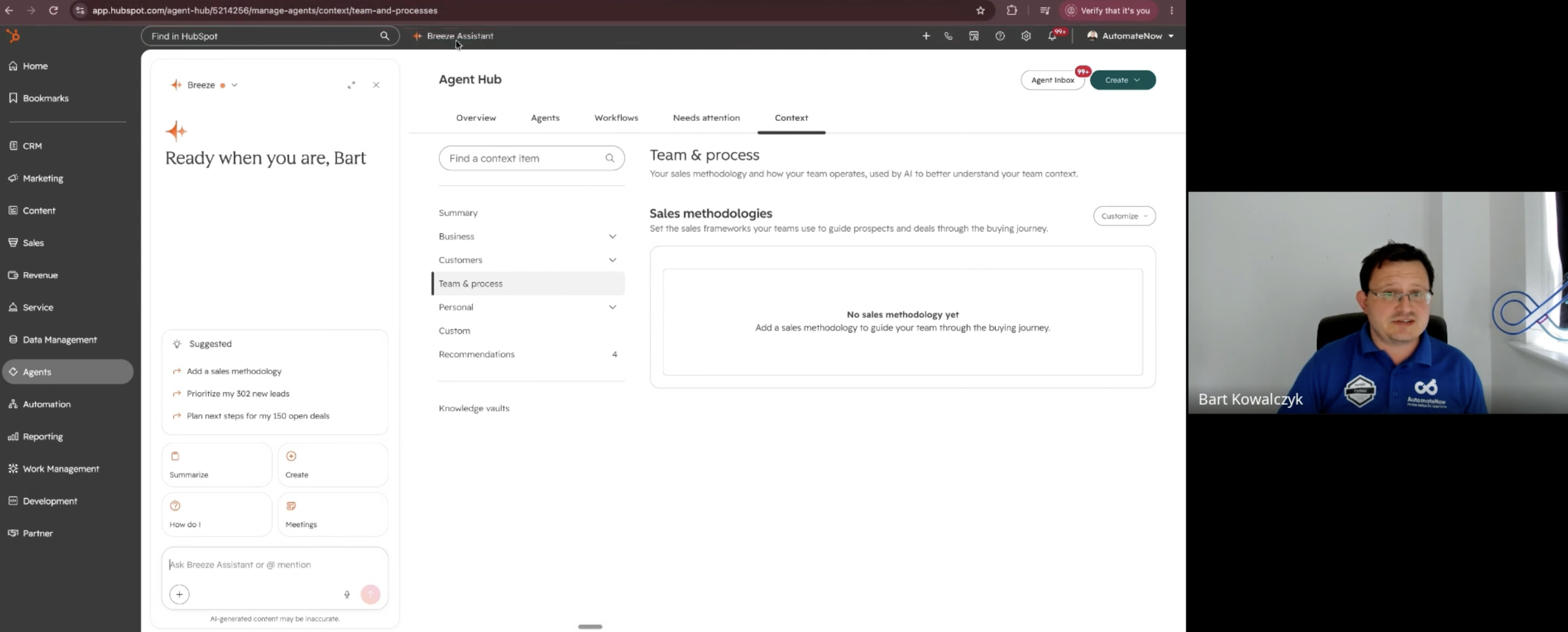
The first and most important theme was context. Any AI tool without context produces generic results, and HubSpot is investing heavily in fixing that.
In HubSpot's settings, businesses can now build a detailed picture of who they are. This goes far beyond "we are a consultancy" or "we are a manufacturer". It can include:
Information can be added as PDF documents or even call transcripts.
"Once context is set, the rest is far easier."
AutomateNow's advice is simple: give HubSpot's AI a strong understanding of the business, and everything it produces becomes more relevant.
During the Q&A, one attendee asked whether context should be set per salesperson or for the whole company. The answer was clear: context is about the business itself. Who are we? What values do we have? What is our process for serving customers?
AutomateNow recommends holding a structured call with the key people involved, such as the head of sales, head of marketing, customer success managers and content creators. That conversation can then be added into the system, tested for three to four weeks and refined over time.
Breeze Assistant is now available wherever users are in HubSpot. Whether someone wants to write an email, analyse data or simply work out what to do on a particular screen, they can ask Breeze.
A great starting point is to ask Breeze how to build business context, for example what information the sales and marketing teams should collect over the next two to three weeks. The more users prompt Breeze over time, the closer its results come to the tone and style they expect.
When asked which update would make the biggest impact on a growing business, the AutomateNow team named Breeze Assistant. Think of it like having an experienced colleague sitting next to you: instead of searching for answers, you simply ask.
Marketing Studio brings campaign assets together in one place, including emails, social media posts and sequences. Using its own Construction Forum event as an example, the team showed the new recommendations tab, which suggests improvements such as:
Assets can also be edited in a Canva-style experience. Users can ask Breeze for campaign ideas, such as writing a blog post, targeting a different segment of the CRM or trying B2B outreach.
One of the most useful features is the ability to reuse campaigns. Once a business has built its ideal campaign, it can be cloned simply by chatting with the system, with no manual copying needed.
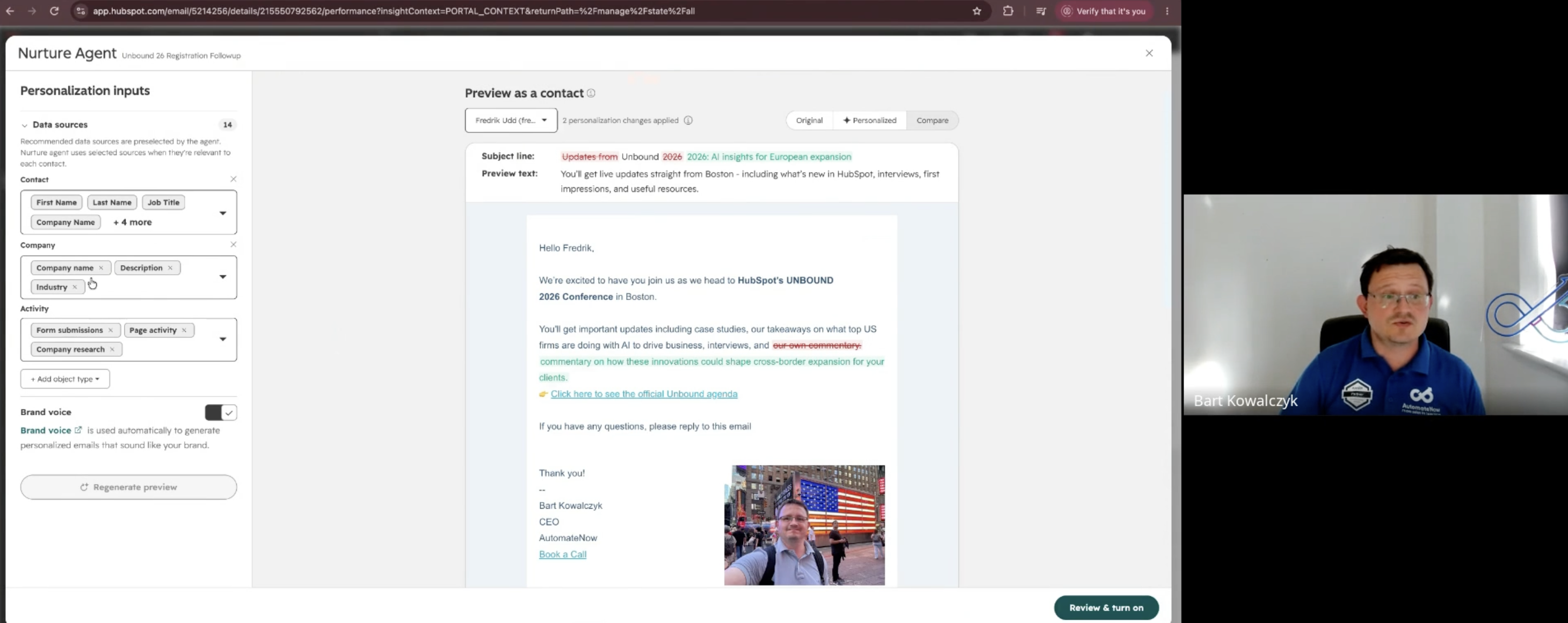
Traditional nurture emails send the same message to everyone. The new agent personalises each automated email before it is sent, based on what HubSpot knows about the recipient.
Users stay in control. They can approve or reject outreach and choose which data sources the agent uses, such as contact properties, custom objects or activities, while leaving out anything they prefer not to use, like form submissions.
In the demo, the agent rewrote an email for a contact based in Europe, tailoring it to European expansion using information from recorded calls. AutomateNow had not used the agent extensively yet, but partners who have tried it report strong results.
An attendee shared a real experience: a personalised message was so detailed that when the client replied, the colleague who picked it up did not understand the context.
"Knowing what you are sending to clients is still very valuable."
AutomateNow agreed and recommended:
SEO is no longer the whole story. HubSpot's new AEO tool shows how a brand appears in AI tools such as ChatGPT, Gemini and Perplexity.
The key metric is share of voice. Imagine asking an AI tool for the best restaurant in London, then narrowing it down to Asian food and gluten free options. Share of voice measures how often your business is the one being recommended.
When AutomateNow started, its share of voice was barely 1%. It is now around 25%.
The tool also recommends what content to create, and on which channels, to improve visibility. For example, it might suggest a YouTube video or a LinkedIn article, and can generate drafts (this uses credits). AEO also considers content elsewhere that refers to a business, not just its own website.
Sales teams have long waited for this one. HubSpot is moving towards a full revenue engine, and contracts are now a new object in HubSpot.
Key features include:
A revenue agent can also send reminder messages when invoices are due, helping businesses keep a clearer view of cash flow.
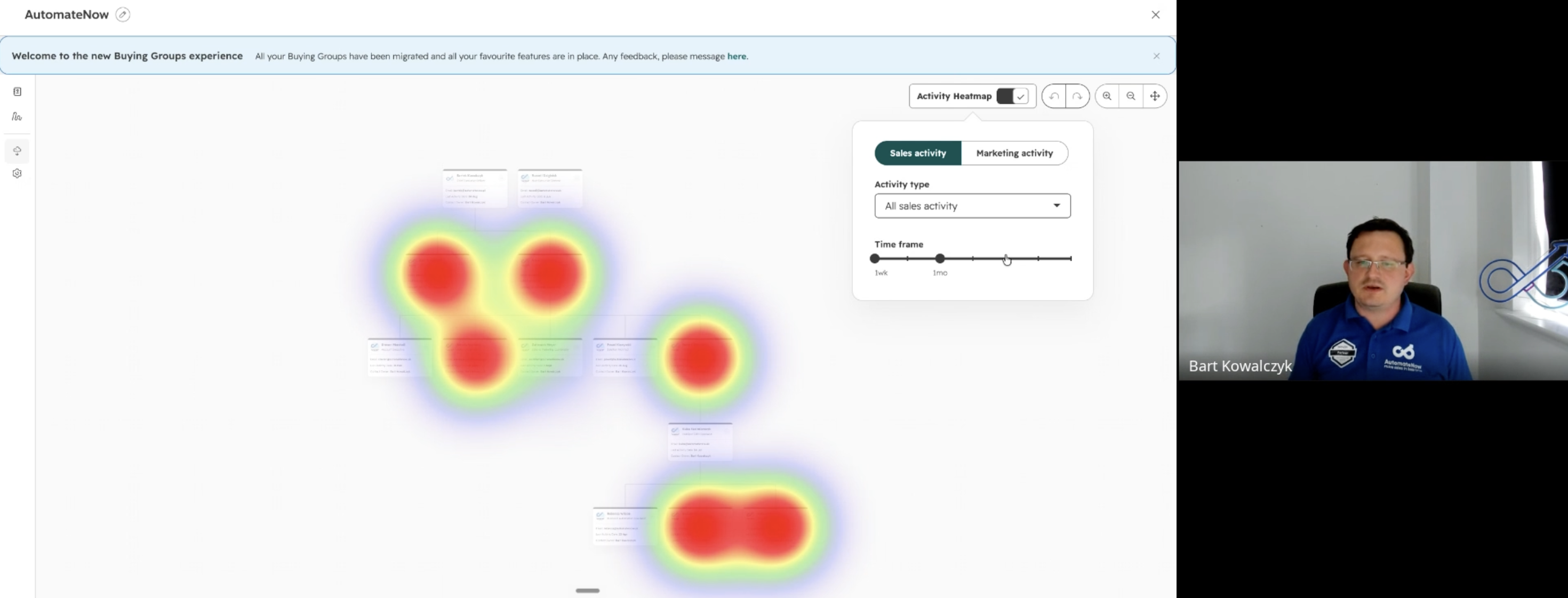
For anyone familiar with LinkedIn Sales Navigator, buying groups will feel familiar. Using AI, HubSpot scans the contacts within a company and identifies who plays which role in a buying decision.
A heat map shows where engagement is strong and where the gaps are. Users can filter by activity type to see exactly which people the team is speaking to and who is being missed. This is particularly useful for account-based marketing.
Many teams have used tools like ClickUp or monday.com alongside HubSpot, or even repurposed tickets to manage internal work. HubSpot's new work management feature brings this inside the platform.
In the demo, the team created a workspace for an event exhibition in London in November, then simply described what they needed in a chat. Within moments, HubSpot created a plan split into preparation, the event itself and follow-up, complete with tasks, owners and due dates. Plans can be saved as templates and reused. Note that some actions use credits.
Many people are jumping straight into agents, but AutomateNow's view is that agents work best once the process and context are already solid. Asking an agent to fix a fragile process will not deliver much.
When set up well, the results are impressive. AutomateNow built an agent that creates a PDF list of event attendees for venue security. A task that once took real time now takes less than a minute.
If there is one message from the session, it is this:
"Context is king."
Start by building your business context, use Breeze Assistant whenever you are unsure what to do next, and explore Marketing Studio, the nurture agent, contracts and work management as they become available.